Write a project brief for AI: what to put in CLAUDE.md
Every new AI session has to re-understand your project. CLAUDE.md is the project-level memory that solves this. Of the seven sections in this template, the most useful one I've found is "Do not change."
There’s a very concrete problem with using AI to write code: every time it starts a new session, it knows nothing about your project.
It re-scans the directory, guesses your tech stack, guesses your code style, and then gives a “generic best-practice” level of advice — which often conflicts with your project’s actual conventions. You have to correct it over and over: we use Maven not Gradle, don’t touch this directory, don’t throw errors.
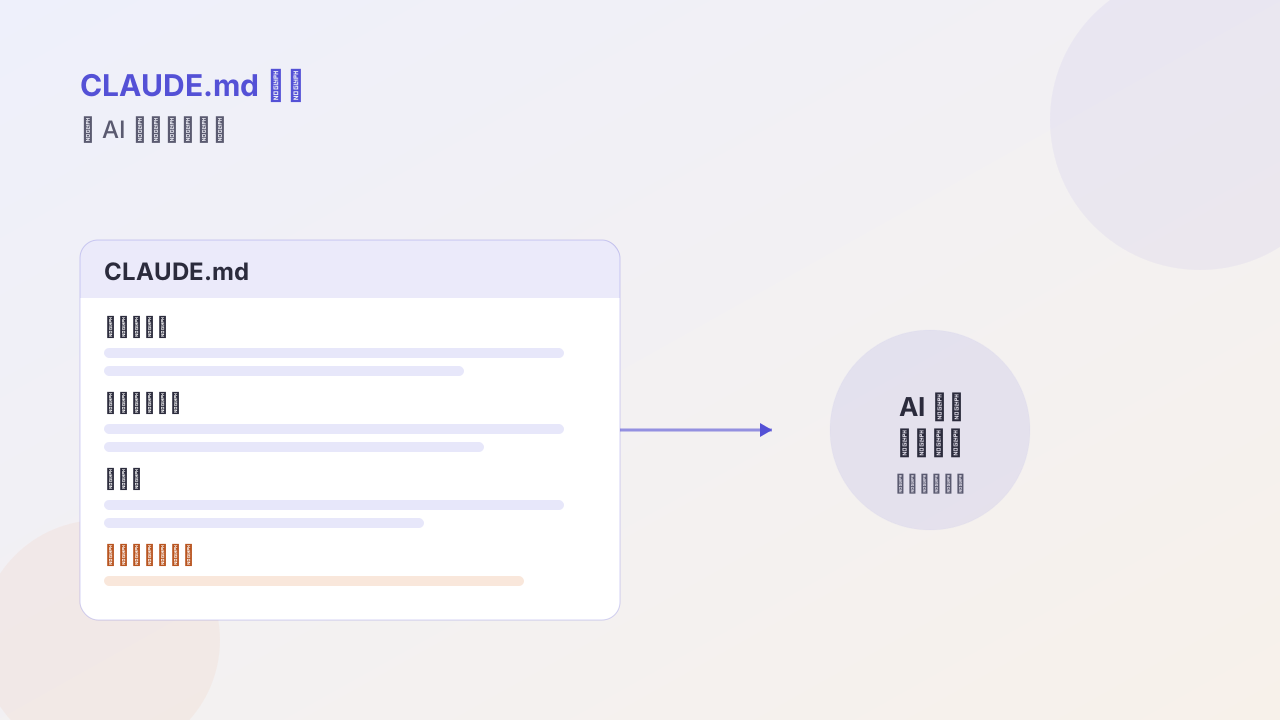
CLAUDE.md solves exactly this. It’s a Markdown file at the project root that gets read automatically at the start of every session — essentially a project brief for the AI.
This is the structure I use.
Template
# [Project name] — CLAUDE.md

This file takes precedence over the user-level CLAUDE.md.

## What this project is
One sentence on what this project does.

## Tech stack
- Runtime: Node 20
- Framework: Fastify 5
- ORM: Drizzle
- Test: Vitest

## Key constraints
- All public APIs must have zod schema validation
- No new third-party validation library (we use zod)
- DB migrations go through drizzle-kit, don't edit schema by hand

## Do not change
- All files under `/src/legacy/` (mid-migration, fragile)
- The node version in `package.json`

## Common commands
- Run tests: `pnpm test`
- Dev server: `pnpm dev`
- DB migration: `pnpm db:migrate`

## Style
- Imports use absolute paths (`@/xxx`)
- Errors use a Result type, no throws
- File names use kebab-case

## When unsure
- First read `/docs/architecture.md`
- Before adding an API, read `/src/api/_template.ts`
Seven sections. Below, how to make each one actually useful.
What this project is: one sentence, not a paragraph
This section is easiest to pad with fluff. “This is an e-commerce admin system” — the AI can guess that from a quick scan of the directory.
Write it with concrete information: what problem this project solves, who uses it, what the core business flow is.
## What this project is
A hospital patient full-lifecycle management system. The core thread is "the patient,"
linking consultation, examination, medication, and follow-up, for doctors and operations.
One sentence, but the AI immediately knows: domain is healthcare, core entity is the patient, users are doctors. The advice it gives afterward won’t drift toward generic CRUD.
Tech stack: write the version numbers
Writing only “uses Spring Boot” is meaningless; writing Spring Boot 3.2 / JDK 17 / MyBatis-Plus is what helps.
Versions matter because AI training data lags. If you don’t write JDK 17, it may write a bunch of Java 8 idioms, or recommend a dependency incompatible with Spring Boot 3.
Key constraints: write the “prohibitions”
This section is named “constraints,” but what’s actually useful is the prohibitions, not the “do this.”
Because “do this” the AI usually guesses 70–80% right, while “do not do this” it can’t guess at all — every project’s taboos are different:
## Key constraints
- No writing SQL directly in the Service layer; always go through the Mapper
- No code-generation library other than lombok
- All monetary calculations must use BigDecimal, never double
Especially the third one: the AI doesn’t know you’ve been burned by floating-point precision issues; it’s entirely possible it writes double total = price * count. Write it in constraints and it won’t.
Do not change: this section has saved me
This is the section I most recommend adding, and the one most templates lack.
Its job is to fence off the minefield:
## Do not change
- All files under `/src/legacy/` (mid-migration, fragile)
- The database table structure (downstream systems read it; changing breaks things)
- The thread-pool config in `application.yml` (tuned; don't touch)
Without this section, the AI sees “this old code is written badly” and refactors it on the spot — unaware it’s mid-migration, has external dependencies, or the parameters came from your load testing.
Information the AI doesn’t know, if you don’t write it in, it treats as nonexistent.
Common commands: don’t make it guess
## Common commands
- Run tests: `mvn test -pl user-service`
- Dev server: `mvn spring-boot:run -Dspring-boot.run.profiles=dev`
- Build: `mvn clean package -DskipTests`
If you don’t write them, the AI gives you a “standard” command — while your project may be multi-module, have profiles, and skip tests. It won’t run, and you’ll have to correct it.
Style: write what you’d actually flag in code review
## Style
- Lowercase package names, UpperCamelCase class names
- Controller has no business logic, only validation and forwarding
- Exceptions go through GlobalExceptionHandler uniformly, no ad-hoc try-catch returning error codes
- Comments explain "why," not "what"
I especially want to stress the last one. By default the AI writes lots of descriptive comments (// iterate over user list), which is exactly worthless. Write it into style and it switches to explaining intent.
When unsure: give it a path
This is the second section I feel many people miss.
When the AI is unsure, its default behavior is to guess, then plow ahead silently. You have to give it a better default action:
## When unsure
- First read `/docs/architecture.md`
- Before adding an interface, read `/src/modules/user/api.ts` as a template
- If still unsure, ask me; don't assume
That last sentence is critical. Without it, the AI fabricates a plausible-looking plan and proceeds; with it, it stops and asks you.
Most AI coding failures aren’t because it can’t do the task, but because when unsure it chose to push through anyway.
A complete example for a Java project
# Patient Management System — CLAUDE.md

## What this project is
Hospital patient full-lifecycle management. Around the patient thread: consultation,
examination, medication, follow-up, mainly for doctors and operations, some interfaces
open to the official account.

## Tech stack
- JDK 17 / Spring Boot 3.2
- MyBatis-Plus 3.5 / MySQL 8.0
- Redis 7 (cache + distributed lock)
- RabbitMQ (async decoupling)
- Build: Maven multi-module

## Key constraints
- Service layer: no direct SQL, all through Mapper
- Money always BigDecimal, never double
- All public interfaces must have parameter-validation annotations
- Cross-service calls must set a timeout, no infinite waits

## Do not change
- `common-legacy` module (mid-migration)
- Database table structure (downstream reporting system reads directly)
- Thread-pool and connection-pool params in `application-prod.yml`

## Common commands
- Run tests: `mvn test -pl service-patient`
- Dev server: `mvn spring-boot:run -Dspring-boot.run.profiles=dev`
- Build: `mvn clean package -DskipTests`

## Style
- Controller only validates and forwards, no business logic
- Exceptions go through GlobalExceptionHandler uniformly
- Comments explain "why," not "what"
- Transaction annotations on Service methods, not Controller

## When unsure
- First read `docs/architecture.md`
- Reference `PatientController.java` for new interfaces
- If unsure, ask me; don't assume
Two common pitfalls
Writing too long. Past one screen, the AI’s adherence to the latter half drops noticeably. Keep it within one screen; if you really need more, split into multiple files and keep only an index in the main file.
Writing empty platitudes. Sentences like “code should be clear and readable” or “follow best practices” have zero binding force. Every line should be a rule that can be violated, and that you would flag if it were.
If you already have a CLAUDE.md, check which sections it’s missing. I’d guess most are missing “Do not change” and “When unsure” — and those two are exactly what stop the AI from working against you.
Follow me